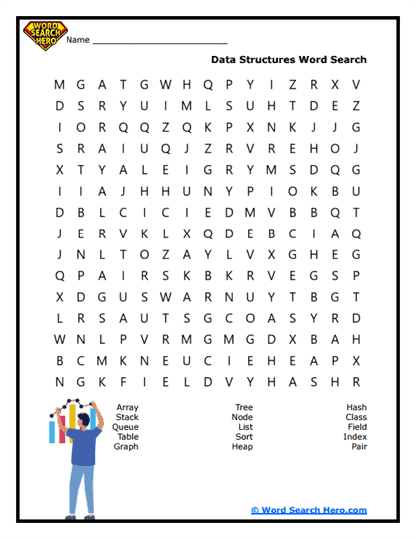
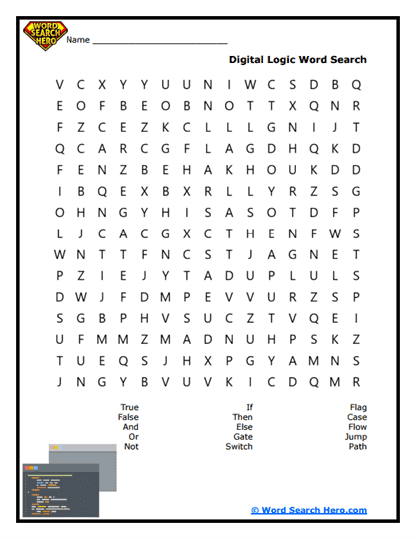
About Our Computer Science Word Searches
Computer Science word searches introduce students to the vocabulary used to study computers, programming, and digital technology. These printable puzzles help learners become familiar with important terms related to coding, algorithms, data, hardware, and software. Before students explore computer science concepts in depth, it often helps to first recognize the language used to describe how computers work and how programs are created.
Students studying computer science may encounter words such as algorithm, program, data, software, hardware, network, and debug. These terms frequently appear in computer science and technology lessons and help students understand the systems and processes that power modern digital devices. A word search provides an engaging way to reinforce this vocabulary while strengthening reading, spelling, and observation skills.
Because the activity feels like a puzzle rather than a traditional worksheet, it can make technical vocabulary easier and more engaging to learn. Teachers often use these printables during technology centers, independent practice, review sessions, or early finisher activities. Parents and homeschool educators can also include them in lessons as a way to introduce computer science vocabulary in an interactive format.
As students search for the words in the puzzle grid, they strengthen concentration, visual scanning, and pattern recognition skills. At the same time, they build familiarity with the terminology used in computing and digital systems.
Understanding Computer Science
Computer science is the study of how computers process information and solve problems. It involves designing algorithms, writing computer programs, managing data, and developing systems that allow computers to perform useful tasks.
Computer scientists create the software that runs applications, websites, and digital tools used in everyday life. They also study how computers communicate through networks and how information can be stored, processed, and secured.
Programming languages allow humans to give instructions to computers. By writing code, programmers can create programs that automate tasks, analyze information, and control devices.
Computer science plays a major role in modern society. It supports fields such as engineering, medicine, communication, entertainment, and scientific research.
Learning the vocabulary associated with computer science helps students understand the basic ideas behind coding, computing systems, and digital technology.
Word searches reinforce this learning by giving students repeated exposure to the key terms used when studying computing and programming.
Paul’s Pro-Tip
A powerful extension activity is a “human algorithm challenge.” After students complete the word search, ask them to write step-by-step instructions for a simple task such as making a sandwich, organizing books, or walking across the room.
Then have another student follow the instructions exactly as written. If a step is unclear or missing, the task may not work correctly. This naturally leads to a discussion about how algorithms must be precise and logical.
This activity adds strong instructional value because it helps students understand how programmers must think when writing instructions for computers. Teachers and homeschool educators can also introduce the concept of debugging by asking students to revise their instructions when errors appear.
Helping Students Understand Digital Technology
Computer science helps people understand how digital systems operate and how software is designed to solve problems. Many modern technologies-from smartphones and video games to satellites and medical devices-depend on computer science principles.
Understanding computer science vocabulary helps students interpret coding lessons, technology diagrams, and discussions about digital systems. These ideas also connect to broader topics such as robotics, artificial intelligence, cybersecurity, and data science.
A word search can serve as an introduction to a lesson about computing or as a review after students have studied basic programming or technology concepts in class. After completing the puzzle, educators can encourage students to connect the vocabulary with real-world technologies they use every day.
When students become familiar with computer science vocabulary, they gain the language and understanding needed to explore how computers process information and how programmers create the digital tools that power modern life.
Frequently Asked Questions
What is computer science?
Computer science is the study of how computers process information, solve problems, and run programs.
What is an algorithm?
An algorithm is a set of step-by-step instructions used to solve a problem or complete a task.
What is the difference between hardware and software?
Hardware refers to the physical parts of a computer, while software refers to the programs and instructions that run on the computer.
Why is computer science important?
Computer science powers modern technology and helps people develop tools that improve communication, research, and everyday life.
What classroom activity pairs well with this puzzle?
Students can create step-by-step instructions for a simple task to demonstrate how algorithms work in programming.